


Sheet metal fabrication is a process that involves creating metal structures and components by cutting, bending and assembling sheet metal. The process usually begins with cutting, which is acheived through various methods such as shearing, laser cutting, waterjet cutting (US Site) or plasma cutting (US Site) , to shape the metal into the desired dimensions. After cutting, the metal is bent into the necessary shapes using tools such as press brakes, rollers or other bending equipment to form angles and curves as specified by the design. The final stage involves assembling the cut and bent pieces using techniques such as welding, riveting or adhesive bonding to construct the final structure or component.
Sheet metal design software is calibrated for the design, engineering and manufacturing of sheet metal components and products. It provides tools and features that aid in the creation, modification and optimisation of sheet metal parts, as well as the generation of manufacturing instructions and documentation.
Sheet metal fabrication involves several steps to transform flat sheets of metal into various shapes and structures. Here are the typical steps involved in the sheet metal fabrication forming process:
Detailed designs and blueprints are created using CAD (Computer-Aided Design) software and engineers review and finalise the design to ensure manufacturability and compliance with specifications.
Choose the appropriate type and thickness of sheet metal based on the project requirements.
Shearing cuts large sheets into smaller pieces with a shear machine. Laser cutting uses a high-powered laser for precise shapes. Plasma cutting employs a plasma torch for thick metal, while waterjet cutting uses high-pressure water with abrasives.
Bending involves using press brakes or other machinery to shape the metal, while rolling forms it into cylindrical or conical shapes. Stamping presses the metal into a die for specific patterns and punching creates holes or shapes with a punch press.
Joining involves assembling the formed pieces using methods like welding, riveting, bolting and adhesive bonding. Welding melts and fuses metal pieces, riveting fastens them with rivets, bolting secures parts with bolts and nuts and adhesive bonding uses industrial adhesives.
Surface treatments are applied to improve appearance, durability and corrosion resistance. This includes deburring to remove sharp edges, polishing for a refined finish and coating with paint, powder, or plating for protection and aesthetics.
Checking the fabricated parts for accuracy, dimensions and quality ensures that the final product meets the design specifications and standards.
Assembling the finished components into the final product is followed by a final inspection to ensure proper assembly and functionality.
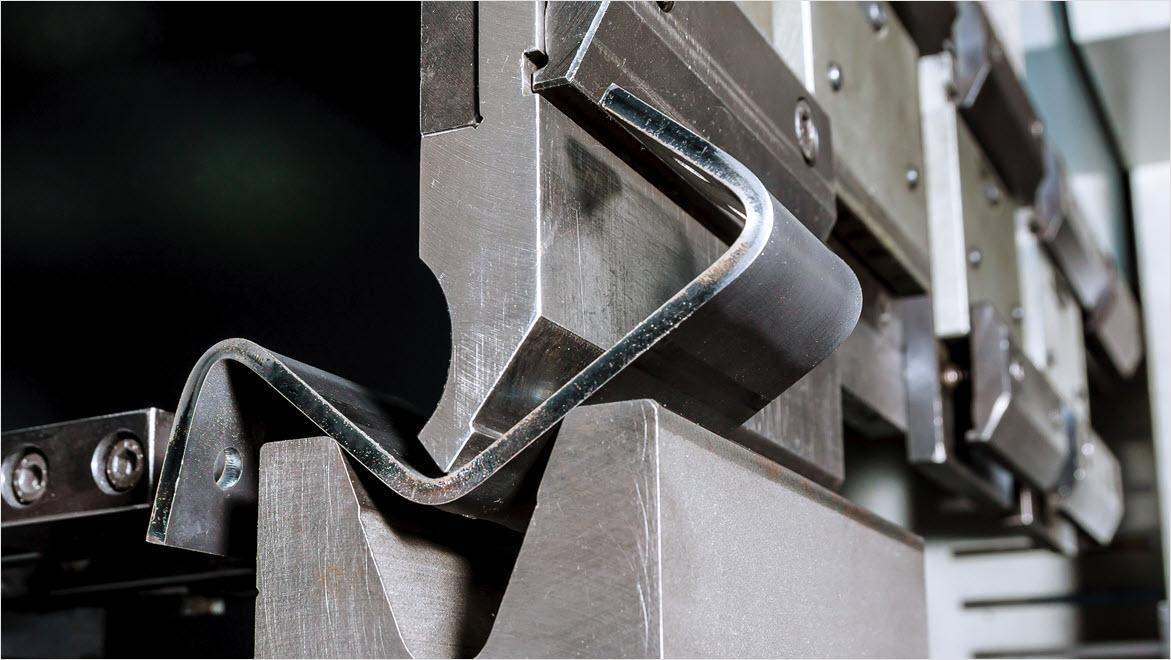
Sheet metal forming is a manufacturing process that transforms flat sheets of metal into desired shapes and configurations without removing any material. This process involves applying force to the sheet metal, causing it to deform plastically and take on a new, permanent shape. Primary methods include:
These sheet metal design and fabrication methods are used to create a wide range of sheet metal products, components and structures for different industries and applications.
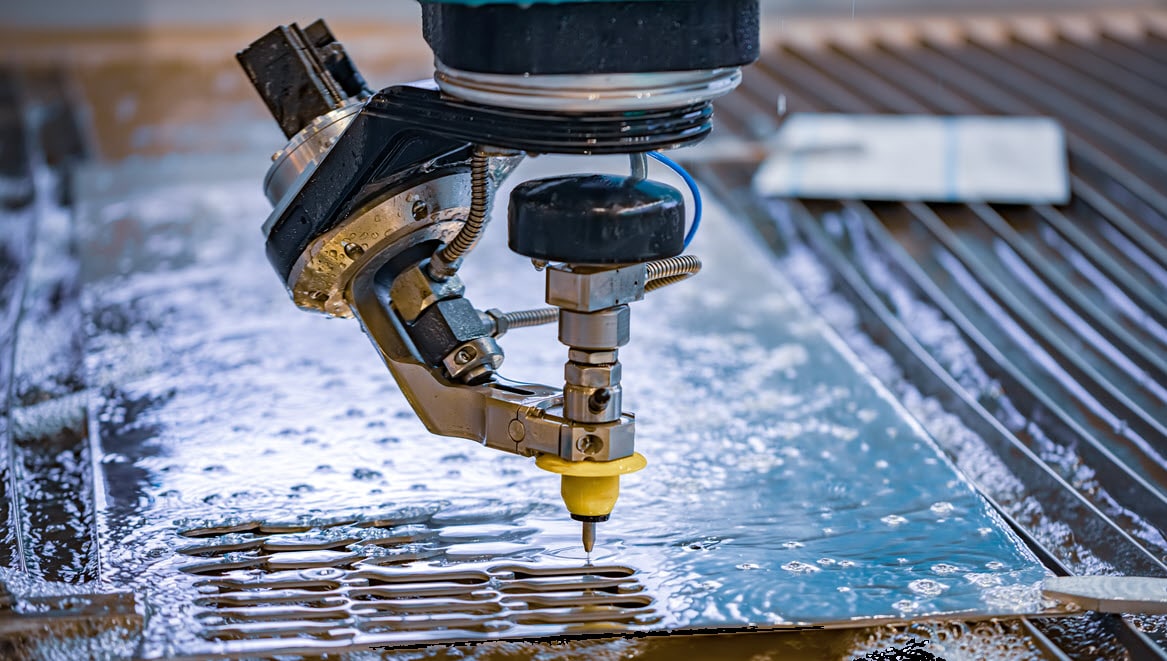
Pressurised water mixed with abrasives can cut through stainless steel, Inconel, titanium, aluminium, tool steel, ceramics, granite and armour plate, with a clean edge finish.

A gas laser, such as a CO2, is transmitted through a beam, guided by mirrors, and directed at the material at an extremely high level of precision.

The plasma process uses electrically conductive gas to transfer energy from a torch to the material being cut. Developed for metals that could not be flame cut, such as stainless steel, aluminium and copper.

A flange is a common sheet metal feature, which consists of a bend connected to stationary face, along a straight edge.

Bend calculations make sure that the correct length is calculated when a sheet metal design is manufactured flat and then bent into its finished state based on a K-factor.

Gauge tables define the thickness of sheet metal. There are several gauge tables depending on the material of the sheet metal, which specify the thickness for both inches and millimetres.
Sheet metal fabrication is cost-effective, especially for large-scale production. Modern techniques like laser cutting and CNC machining reduce waste and labour costs, and speed up time-to-market.
The durability and strength of sheet metal makes it ideal for lightweight, resilient components that withstand harsh conditions, ensuring longer lifespans and reduced maintenance costs.
Sheet metal fabrication is cost-effective, especially for large-scale production. Modern techniques like laser cutting and CNC machining reduce waste and labour costs, and speed up time-to-market.

Sheet metal design and fabrication software like Autodesk Fusion includes a combination of 2D and 3D design capabilities. This allows engineers and designers to create precise models of sheet metal components. Users can define parameters such as material thickness, bend allowances, hole sizes and other geometric features relevant to sheet metal fabrication.
Streamline your entire sheet metal design-through-fabrication workflow with one software package. Autodesk Fusion allows you to connect 2D and 3D workflows so you can create, modify and document sheet metal designs. This makes it easy to quickly get a flat pattern into production.
Powerful product design and engineering tools for 3D mechanical design, simulation, visualisation and documentation.

Autodesk Fusion for Manufacturing is an integrated CAD/CAM platform that includes parametric modelling, design for manufacture, drawing, 3D printing, sheet-metal fabrication and cloud-based collaboration with powerful 3-axis machining, 4 and 5-axis milling, part inspection, turn-mill, probing, deburr, advanced toolpaths and more.
Here are some top reasons to consider Autodesk Fusion for your sheet metal fabrication needs.
Fusion offers a range of specialised tools tailored for sheet metal design. These tools include bend and unfold commands, sheet metal-specific parameters, corner reliefs, flange creation and more. These features streamline the design process and enable designers to create accurate sheet metal components.
With cloud collaboration (US Site) tools, multiple users to collaborate on the same design in real time. Cloud-based software (US Site) is especially useful for product design teams, where parts of the products are often designed and manufactured by different team members across various locations.
Fusion combines both computer-aided design (CAD) (US Site) and computer-aided manufacturing (CAM) functionalities in a single platform. This integration allows designers to seamlessly transition from creating 3D sheet metal models to generating toolpaths for manufacturing processes.
Flexible parametric modelling (US Site) techniques allow designers to create flexible and adaptive sheet metal designs. With parametric modelling, changes made to the design propagate throughout the model, automatically updating features and maintaining design intent. This feature is useful in sheet metal design, where modifications and iterations are common.
Streamline the deformation-based sheet metal forming process with the sheet metal tools in Fusion. The software simplifies simulating sheet metal forming with an easy setup of loading conditions, contact conditions, fixes, displacement boundary conditions and nonlinear material properties.
Autodesk Fusion supports a wide range of manufacturing processes commonly used in sheet metal fabrication, including laser cutting, punching, bending, welding and more. Computer-aided manufacturing (US Site) generates toolpaths for these manufacturing processes, making it easier to translate designs into physical parts.
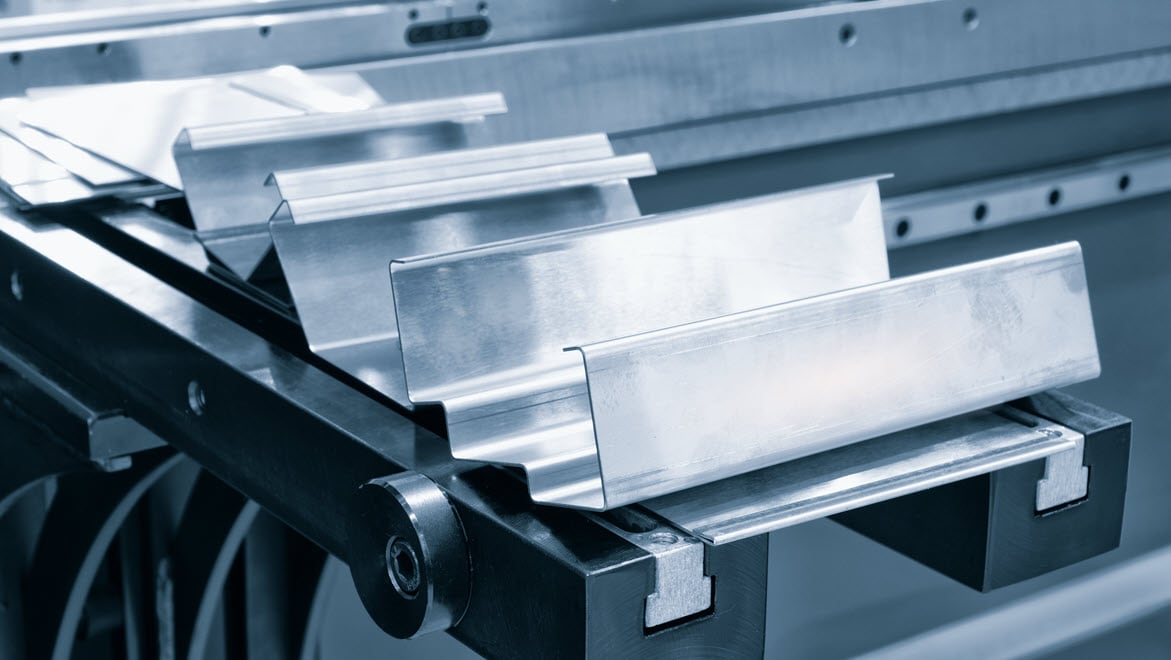
Sheet metal bending calculations consider the impact of different material types on the bending factor. These calculations are used to predict the final shape and dimensional accuracy of sheet metal post-bending. Some key aspects involved in sheet metal bending calculations include:
Sheet metal fabrication is utilised across a wide range of industries due to its versatility, precision and efficiency in creating metal parts and components. Some of the key industries that use sheet metal fabrication include.

Used to produce household appliances, kitchen equipment, furniture and other consumer products.

Used for manufacturing car bodies, chassis, exhaust systems and various structural and aesthetic components.

Important for manufacturing medical devices, equipment enclosures, surgical instruments and hospital furniture.

Used for producing aircraft parts such as fuselage panels, wings, brackets and other structural components that require high precision and durability.
These tutorials will help you get started with sheet metal design and fabrication in Autodesk Fusion.

Learn to create, modify and apply sheet metal rules. Learn how to use the flange tool and how to create a cutout across multiple faces. Learn how to build a flat pattern and use it in a drawing in Fusion.

Learn the basics of sheet metal design in Fusion. We cover sheet metal components, rules, flanges, bends, unfolding sheet metal bodies and flat patterns.

Learn how to design a sheet metal model using Fusion. See how to parametrically edit sheet metal models and how to set up a library for sheet metal rules. Also, learn about downstream manufacturing workflows for sheet metal models.
Sheet metal fabrication dates back to ancient Egypt and Mesopotamia, where metal was hand-hammered into tools and decorative items. The Industrial Revolution brought machines like the rolling mill and press brake, increasing precision and efficiency. The 20th century brought the introduction of laser cutting, CNC machines, and automation, further enhancing the industry’s capabilities. Today, advanced software and machinery produce a wide range of products for various applications.
There are a few ways to create sheet metal components in Autodesk Fusion. You can create a new sheet metal component using the sheet metal rule. The rule uses your settings for material thickness, bend radius and corner relief. You can also create a sheet metal component from scratch. You use sketch commands to create a profile for a base face or an initial contour flange. Then you exit the sketch and create your sheet metal face and flanges. Default rule is used but you can change or edit used rule.
Autodesk Fusion includes direct editing and advanced surface modelling features designed to dramatically reduce the time typically necessary for high-volume design production. Validate 3D digital models as you design without needing a prototype. Stress-test and optimise in one integrated design environment. Plus, built-in sheet metal specific commands streamline work on both folded and unfolded models.
Autodesk Fusion streamlines the deformation-based sheet metal forming process. The software simplifies simulating sheet metal forming with easy setup of loading conditions, contact conditions, fixes and displacement boundary conditions and non-linear material properties.
The three primary types of sheet metal fabrication are:
1. Cutting – This involves separating the sheet metal into desired shapes and sizes. Common cutting methods include shearing, laser cutting, plasma cutting and waterjet cutting.
2. Bending: Bending processes shape the sheet metal by deforming it along a straight line to create angles and curves. This can be achieved using tools such as press brakes, rollers and bending machines.
3. Assembly: This process involves joining different pieces of sheet metal to create a final product or component. Common assembly techniques include welding, riveting and adhesive bonding.
Autodesk Fusion simplifies calculating bend allowance and offers the flexibility to see bending results specific to the data you have. While the default K-Factor of 0.44 is automatically built into the software, you can access the integrated editor in Inventor to create and edit bend tables.
Bend allowance is the length of the neutral line or axis that lies between the bend lines, or essentially, it’s the arc length of the bend. This measurement is used to calculate the length of the flat piece of sheet metal needed to achieve a bent part of a certain size.
When a piece of metal is bent, one half of the bend is compressed and the other half is stretched. The neutral line or axis is the area of the metal that does not change during the bending process. The length of the neutral axis is known as the bend allowance.
The bend allowance is calculated based on the degree of the bend, the thickness of the metal and the bend radius. The bend allowance added to the sum of the two flange lengths equals the total flat length of the sheet metal.
Knowing the bend allowance is crucial to achieving accurate results in sheet metal fabrication. It’s used to determine the flat pattern layout to ensure the final bent product is the correct size and shape.
A sheet metal bend calculator is a tool that helps you calculate important parameters required in the bending of sheet metal. The calculator uses these parameters to determine the flat length of the sheet metal before bending to achieve the desired final part dimensions. The user typically inputs the material type, bend angle, inside radius and material thickness and the calculator provides the bend allowance, bend deduction and sometimes the K-factor.
These calculators are invaluable tools for engineers, fabricators and designers working with sheet metal, allowing them to accurately predict the outcomes of their bends and make necessary adjustments to their designs.
The K-factor in sheet metal bending is a ratio that represents the location of the neutral axis with respect to the thickness of the material. The neutral axis is the part of the metal that is neither compressed nor stretched during bending.
When a flat sheet of metal is bent, one surface of the material is compressed while the opposite surface is stretched. The neutral axis lies between these two surfaces and remains unchanged in length during the bending process.
The K-factor is calculated using the formula: K-factor = t / T



